

Trade tab
Sizing and order entry
- Lot from risk and stop, nine risk bases and a reward-to-risk lock.
- Every order type including stop-limit, from the lines, a list or the keyboard.
- Up to five take-profit levels, each with its own share of the lot.
Your entry. Your exit. Your way.
A trade manager for MetaTrader 5 and 4. Plan the trade with lines on the chart, get the lot size from your risk and send any order type. After the entry it takes profit at up to five levels, closes in parts, trails the stop and moves it to breakeven, by the rules you set.
Launch price for the first 10 copies of each, then $99. Or rent it for 1 month ($30) and try it on your own charts.

No signals: every entry starts with you. Sold on the MQL5 Market.
If you manage your exits by hand and want one compact window, Stopline Trade Manager EZ is the trade page on its own, $30, one payment.
See Stopline Trade Manager EZA 1 % trade never quietly becomes 1.3 %. You type the risk and drag the stop; the lot comes from the tick value your account actually books and is rounded down to the broker's volume step. When the broker's published tick value differs, the panel tells you.
Buy and Sell are greyed out while you set up a pending order. A press against the planned direction flips the plan first instead of sending. A confirmation shows lot, risk, stop and target before anything goes out.
Every order from the panel carries the stop you drew. Trades you open from your phone or the terminal's own order window can get the panel's stop and target as soon as they appear, while the terminal is running.
The free margin is checked first, and the panel refuses the order with the reason instead of leaving the broker to reject it.
Drag it onto a chart and allow Algo Trading. The entry, stop loss (orange) and take profit (teal) lines appear, already spread so you can grab them.

Move the orange line to where your stop belongs. The lot, the money at risk and the reward-to-risk ratio update as you drag.

Press Buy or Sell and check the order: Enter sends it, Esc cancels. For a pending order, drag the entry line away from the price and press Place.

Get it for your terminal
$49 launch price for the first 10 copies of each version, then $99, one payment. Or rent it for 1 month ($30).
MetaTrader's own order window sends the order. Sizing it and managing the exit are up to you.
| Task | MetaTrader's own order window | Stopline Trade Manager |
|---|---|---|
| Lot size (position size) | You work it out and type it | From your risk and the stop you drag, using the tick value your account books |
| Stop and target | Prices you type; the lot does not change with them | Lines you drag on the chart, with the money at risk and the reward-to-risk ratio shown as you drag |
| Take profit | One per position | Up to five, each with its own share of the lot |
| Partial close | By hand | Up to ten automatic levels, set six ways |
| Trailing stop | A fixed distance in points | Seven types: fixed, fractals, moving average, SAR, ATR, partial-close level, previous bar |
| Breakeven | By hand | Four trigger modes, offset for spread and commission |
| Daily loss limit | None | Blocks new entries at your limit for the rest of the day |
MetaTrader 5 and MetaTrader 4 as they are installed, without add-ons.
Each tab does one job. Hover any control for a short hint.
Trade tab

In Parts tab

Trailing tab

Breakeven tab

Close tab

Other tab

Settings tab

Info tab

Minimized, the panel keeps Buy, Sell, Place and Close one click away. See every tab in the manual.


After the entry
A real demo trade, recorded on 28 September 2026: half the lot closes at 0.5 R, the stop moves to the entry at 0.8 R, then a 4-pip trailing stop follows the price. The rest of the position closed on the trailed stop, in profit.
| Type | How the stop follows |
|---|---|
| Fixed distance | Keeps a set distance behind the price. |
| Fractals | Moves to the last completed fractal. |
| Moving Average | Follows a simple or exponential moving average with your period and shift. |
| Parabolic SAR | Follows the SAR with your step and maximum. |
| ATR | Keeps a multiple of the Average True Range away, optionally from the bar's high or low. |
| Partial-close level | Moves to the last partial-close level that was hit. |
| Previous bar | Moves to the previous bar's low for buys, high for sells. |
| Guard | What it does |
|---|---|
| Daily loss limit | Blocks new entries for the rest of the day once the loss reaches your limit, in percent or money. |
| Maximum open trades | Refuses a new entry above your limit. |
| Exposure per symbol | Refuses an order that would take the symbol's lots above your limit. |
| Spread limit | Holds entries while the spread is wider than your limit. |
| Lot limit | Keeps the lot inside your minimum and maximum and says when it applies. |
| Free margin check | Refuses an order the free margin cannot carry, before the broker does. |
| Health dot | Shows when Algo Trading is off, the connection is lost or the daily limit is reached. |
Stop yourself at your daily limit before the prop firm does. The daily loss limit blocks new entries for the rest of the day; maximum open trades and exposure per symbol stop you from overtrading or doubling up on one symbol. Check first that your firm allows Expert Advisors.
Try it on your own charts.
Rent it for 1 month for $30: the full panel on your live or demo account. Or buy it for $49, one payment.
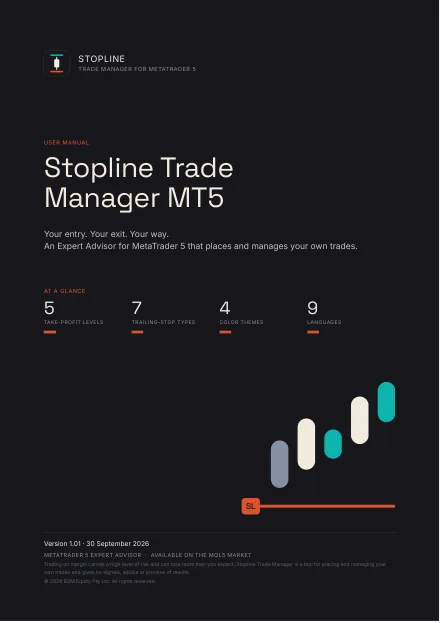
50 pages: installation from the MQL5 Market, a first trade, every tab, control, input and hotkey, and troubleshooting. The MT4 edition (51 pages) adds a chapter on what MetaTrader 4 does differently. English.

Stopline Trade Manager is made by BSM Equity Pty Ltd, Australia. Questions before or after you buy: the product's Comments tab or a private message on MQL5. We answer within 24 hours.
Launch pricePrice
$49USD, one payment
For the first 10 copies of each version. After that, $99.
The launch price ends with the 10th sale on the MQL5 Market, not on a date, so we cannot tell you when. MT5 and MT4 are counted separately.
Rent it for 1 month for $30: the full panel on your own live or demo charts. If the launch copies are gone by the time you decide, the price is $99.
The same panel on both platforms; the few differences come from MetaTrader 4 itself (see "MT5 or MT4" in the questions). Two separate products: buy the one for your terminal.
Payment, licence and activations are handled by the MQL5 Market under its rules. The MQL5 Market does not refund purchases, so rent it first if you are unsure. More on refunds
Only need the trade page? Stopline Trade Manager EZ costs $30, one payment.
Yes, one is built in. Set your risk as an amount or a percent of the balance, equity, free margin or another base, place the stop, and the panel calculates the lot size from the tick value your account actually books, rounded down so the trade never risks more than you set. It then places the order and manages the position: take profit in steps, partial close, trailing stop and breakeven.
Yes: Stopline Trade Manager EZ, $30, one payment. It is the trade page on its own, in one compact window: the same sizing, order types, take-profit levels and guards, with every exit by hand and no trailing stop, automatic partial close or breakeven, virtual orders or statistics. Compare the two editions.
An Expert Advisor that places and manages the trades you decide on in MetaTrader: it sizes the lot from your risk, sets take-profit levels, closes in parts, trails the stop and moves it to breakeven. Stopline Trade Manager gives no signals; every entry starts with you.
Yes, on both: up to ten levels, set automatically or by price, points, reward-to-risk, percent change, or percent of the take profit or stop loss, closing a share of the initial lot, of the remaining lot, or a fixed lot.
Seven: fixed distance, fractals, moving average, Parabolic SAR, ATR, the last partial-close level, and the previous bar's high or low.
Yes, up to five per trade. Each level closes its own share of the lot and is drawn as a dotted line you can drag.
Yes. Both are kept inside the Expert Advisor, so they work only while the terminal is running and connected; use a VPS or real stops when that matters.
Yes: link the pending orders you place into an OCO group, and the first one that fills deletes the others. New group starts another, for example a Buy Stop above and a Sell Stop below a range.
Yes: rent it for 1 month for $30 and use the full panel on your own live or demo charts. The free demo on the MQL5 Market runs only in the Strategy Tester, where MetaTrader does not pass mouse clicks to an Expert Advisor, so you can look at the panel there but not use it. Renting is the real trial.
The MQL5 Market does not refund purchases, so don't buy blind: rent it for 1 month ($30) and use it on your own charts first. If something does not work as described, write in the product's Comments: the MQL5 rules let you ask for a fix within a month of purchase, and we answer within 24 hours.
Only when you ask it to. It sends nothing without your press and a confirmation (unless you switch to one-click). Breakeven, trailing, partial closes and the Close buttons act only on positions with the panel's own magic number, so other Expert Advisors' trades are left alone. Three settings reach further, each your own choice: magic number 0 (manage every position), "Apply SL/TP to positions opened manually" (new positions on the chart's symbol opened outside the panel get its stop and target), and the Close tab's close by magic number, by ticket or Magic All. It never changes your own chart drawings.
It is a manual trading tool, but the rules are the firm's: check that it allows Expert Advisors first. The daily loss limit blocks new entries for the rest of the day once your loss reaches your limit; maximum open trades and exposure per symbol stop you from overtrading or doubling up on one symbol.
Any MetaTrader broker and any symbol it offers: forex, metals such as XAUUSD, indices, stock CFDs and crypto CFDs. The lot uses the tick value your account actually books, and the panel tells you when the broker's published figure is different.
The one for the terminal you trade in: Stopline Trade Manager MT5 for MetaTrader 5, Stopline Trade Manager MT4 for MetaTrader 4. The panel, the functions and the manual are the same. The differences come from MetaTrader 4 itself: no netting accounts; no stop-limit orders, so the MT4 version keeps them itself until the stop price trades and, like virtual orders, they need the terminal running; and a new ticket for the rest of a position after a partial close. Each manual lists them. The two are separate products: a purchase of one does not include the other.
On 10. MQL5 ties each activation to a computer and its operating system installation, not to a trading account, so you can use any broker and any account on those computers.
No. The new installation uses one of your 10 activations.
No. Every entry starts with you. The only exception is a scheduled open you set up in the trade time manager. In a Strategy Tester run without visualization it makes one small test trade, which the MQL5 Market's automatic check requires.
Yes, on MetaTrader 5: a new trade merges into your position, and an option previews the merged lot and price before you send. MetaTrader 4 accounts keep every order as its own position.
Yes, in MetaTrader 5 for macOS (metatrader5.com, macOS 10.15.7 or later) or MetaTrader 4 for macOS (metatrader4.com, macOS 11 or later), the installers MetaQuotes provides for Intel and Apple silicon. Buying, installing and using it work as the manual describes. MetaTrader's shortcuts use the Control key, not Command, and F7 may need Fn. A Mac counts as one of your 10 activations. The panel draws with the fonts the Mac has, so its text can look slightly different.
No. They live inside the Expert Advisor, so they work only while the terminal is running and connected. Use a VPS or real stops when that matters.
Yes. On a VPS with MetaTrader use it as on your computer. With MQL5 Virtual Hosting the panel is not visible, but breakeven, trailing, partial closes and hidden stops keep running.
Usually an input box on the panel has the keyboard: click once on an empty part of the chart. MetaTrader never passes Alt combinations to an Expert Advisor, so use Shift or Ctrl+Shift.
Your entry. Your exit. Your way.
Launch price $49 for the first 10 copies of each version, then $99.$49, one payment. Or rent it for 1 month for $30.